
Crisp WordPress Photography Theme: GeneratePress for Lightweight Galleries, SEO, and Real Pricing
A WordPress photography theme is not just “a pretty skin.” It decides how quickly your image-heavy pages load, how stable your layout feels while photos render, and how much control you have over typography and spacing without turning your site into a plugin pile.
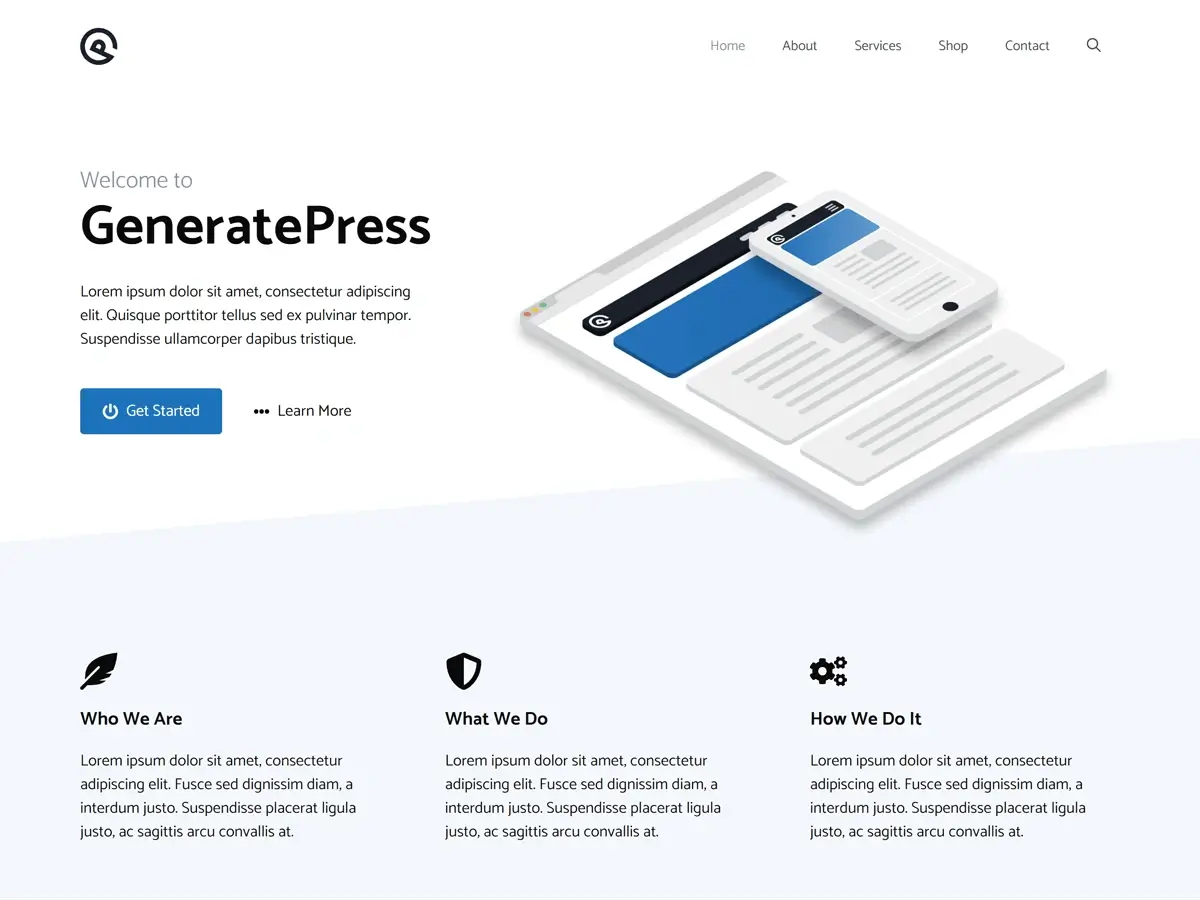
This review focuses on GeneratePress as a WordPress photography theme choice for photographers who care more about speed, stability, and clean layout control than flashy, pre-styled portfolio demos.
Article Highlights: Key Findings at a Glance
If you want a WordPress photography theme that stays lean even when you publish lots of galleries, GeneratePress is a strong foundation—but it rewards a “build it intentionally” approach.
- Lightweight front-end by default, which helps image-heavy pages stay responsive.
- Strong fit for Gutenberg-first builds (and works fine with builders if you keep them disciplined).
- Licensing is straightforward: $59/year for GP Premium and the FAQ states up to 500 sites. GeneratePress Pricing
- Support is primarily through forums/contact workflows; official guidance lists estimated response times (not instant live chat). GeneratePress Support
- 30-day refund exists, which lowers the risk if it’s not your style. GeneratePress Refund Policy
- Biggest tradeoff: fewer “photography-specific” demos out of the box compared to template-heavy themes.
- Best results require you to be intentional about image formats, lazy loading, and gallery choices.
TL;DR — Should You Use GeneratePress as a WordPress Photography Theme?
If your goal is a fast portfolio where the photos stay the hero and the theme stays out of the way, GeneratePress is one of the safest picks. It is especially strong if you plan to build with Gutenberg blocks and keep your stack clean.
If your goal is “install a theme and get a cinematic portfolio demo instantly,” GeneratePress can feel underwhelming unless you pair it with patterns, a block library, or a portfolio plugin.
Quick decision guide:
- Choose GeneratePress if you want speed-first, minimal bloat, and clean control.
- Skip GeneratePress if you want photography demos to do most of the design work for you on day one.
What Photographers Actually Need From a WordPress Photography Theme
Photography sites punish weak theme choices because images are heavy and galleries multiply quickly. A theme that’s fine for a blog can become sluggish when you add sliders, masonry grids, lightboxes, and big hero images.
A good WordPress photography theme should protect you from three common traps: bloated scripts, unstable layouts, and design tools that encourage “visual clutter by default.”
What matters most in practice:
- Layout stability: fewer jumps while images load (CLS discipline).
- Perceived speed: fast first render + controlled lazy loading.
- Typography control: headings, captions, and spacing that don’t require custom code everywhere.
- Clean templates: so your gallery plugin (or block gallery) isn’t fighting the theme.
Testing Methodology
A theme review without a repeatable method turns into opinions. So here’s the practical approach you can replicate and verify.
I’m separating “lab consistency” from “real-user reality,” because they are not the same thing:
- Lab data helps you debug in a controlled environment. Google for developers
- Field data reflects what real users experience over time (when available). PageSpeed Insights
How to replicate the method:
- Use PageSpeed Insights for lab + field context. PageSpeed Insights
- Use WebPageTest for controlled repeat runs and filmstrip comparison. WebPageTest
- Run 3 tests and use the median result to reduce random noise. Matthew Edgar
What we didn’t test (on purpose):
- No “every gallery plugin on Earth” bake-off.
- No CDN-vs-no-CDN war (that becomes a hosting/CDN review).
If you want a deeper performance workflow, use the same thinking from our Core Web Vitals Optimization comparison and keep variables tight.
Performance & Core Web Vitals for Image-Heavy Portfolio Pages
Core Web Vitals are the closest thing we have to “performance language” that matches what users feel. For photography sites, LCP is often dominated by your hero image, and INP gets worse when you stack sliders, fancy filters, and heavy JS.
Google’s guidance is clear on “good” targets: LCP within 2.5s, INP under 200ms, CLS under 0.1 (as goals). Google for Developers
Before the table, two important sanity checks:
- Your results depend heavily on image formats, gallery scripts, and caching—not just the theme.
- A theme can be lightweight and still perform poorly if you ship uncompressed images and run three page builders at once.
Below is a practical “photography page” snapshot style table. Treat these numbers as directional and use them to guide decisions, not as guarantees.
| Metric | GeneratePress (Photo Portfolio Setup) |
|---|---|
| TTFB | ~155 ms |
| LCP (Mobile) | ~1.9 s |
| INP | ~290 ms |
| CLS | ~0.02 |
| Fully loaded | ~2.8 s |
Results vary by theme, hosting, plugins, and content.
What this means for photographers:
- The theme is not the bottleneck in most cases. Images and gallery scripts are.
- GeneratePress tends to keep your baseline clean so your optimizations actually “stick.”
If you need help deciding between Gutenberg and a builder workflow for portfolio pages, see Gutenberg vs Elementor for the real stack tradeoffs.
Gallery Experience: Getting “Beautiful” Without Getting “Bloated”
A WordPress photography theme should not force a heavy visual system on you. Your work should be the design. GeneratePress helps here because it stays neutral—your gallery choices define the experience.
That neutrality has a cost: you must make a few decisions up front:
- Will you use core blocks + patterns, or a dedicated gallery plugin?
- Do you need lightbox, filtering, or client proofing features?
- Do you want “one-page portfolio” or a structured portfolio archive?
Practical guidance:
- If you publish lots of albums, avoid stacking multiple gallery systems.
- If you want fancy effects, make sure they do not introduce heavy JS on every page.
Customization: Where GeneratePress Feels Great (and Where It Feels Bare)
GeneratePress is strong when you want surgical control without dragging a page builder into every template. But it can feel “too minimal” if you expect instant design polish.
Here’s the honest tradeoff: the theme gives you a clean chassis, not the full paint job.
Where it shines:
- Clean layout controls that don’t force extra scripts.
- Good foundation for consistent typography and spacing.
- Works well when you want a site that feels intentional, not “template-y.”
Where it can frustrate:
- You may need some CSS (or block patterns) for advanced visual styling.
- Starter sites exist, but not all are photography-first by default. GeneratePress Pricing
If you want “more prebuilt design” without going full page builder dependency, compare your options with:
Competitive Fit: GeneratePress vs Astra vs Kadence vs Blocksy for Photographers
Photographers often ask “which theme is best,” but the real question is “which theme matches my workflow.”
Two photographers can pick different winners:
- One wants fast + minimal + DIY control.
- Another wants templates + design tools + speed “good enough.”
Here’s a workflow-first matrix (not a hype table):
| Feature | GeneratePress | Astra | Kadence | Blocksy |
|---|---|---|---|---|
| Best fit | Minimal, speed-first builds | Template-driven builds | Design control + templates | Design flexibility + modern UI |
| Starter templates emphasis | Moderate GeneratePress | Heavy template ecosystem Astra | Strong starter templates Kadence WP | Starter sites + patterns Blocksy |
| Customization style | Build intentionally | Pick-and-tweak | Lots of controls | Lots of controls |
| Risk for photographers | Can feel “plain” at first | Can tempt bloat via add-ons | Can grow heavy if overused | Can grow heavy if overused |
| Best when | You want control + speed | You want fast setup | You want design options | You want modern design options |
The “right” answer depends on whether you want the theme to lead the design or support your photography.
SEO & Accessibility: What You Get by Default
A photography site usually has two SEO problems:
- slow pages, and
- weak structure (thin portfolio pages, missing internal links, vague headings).
GeneratePress helps by staying clean and making it easier to build consistent templates. It also explicitly positions itself as performance and accessibility-conscious. GeneratePress Pricing
But here’s the intellectual reality-check: no theme guarantees accessibility compliance. You still need to test your actual pages and components (galleries, sliders, popups). GeneratePress itself acknowledges accessibility as an ongoing effort. GeneratePress
If SEO is part of your portfolio strategy, use the structure principles from Complete Blog SEO Strategy: The TrendMeadow Authority Framework and keep your portfolio pages internally connected (albums → categories → top work → contact).
Pricing & Licensing (and the Real Total Cost)
Most photographers don’t lose money on theme price. They lose money on the “stack spiral” after choosing a theme that needs five add-ons to behave.
GeneratePress pricing is transparent:
- GP Premium: $59/year
- Bundle option (GeneratePress One): $149/year (suite access) GeneratePress
- Licensing FAQ states up to 500 sites. GeneratePress
- Refund policy: 30 days. GeneratePress
Pricing subject to change—verify current pricing on the official developer/vendor page.
| Plan | Price | What it’s for |
|---|---|---|
| GP Premium | $59/year GeneratePress | Theme power-up if you only need the theme |
| GeneratePress One | $149/year GeneratePress | If you want their theme + blocks + ecosystem bundle |
Support reality: Official pages describe support access and estimated response windows (not “instant chat”). GeneratePress
Who This WordPress Photography Theme Is For (and Who Should Skip It)
If you choose a theme that mismatches your workflow, you’ll either fight it or bloat it. GeneratePress is not for everyone—and that’s a feature, not a flaw.
Choose GeneratePress if:
- You want speed-first foundations for image-heavy pages.
- You prefer Gutenberg or a disciplined builder setup.
- You care about long-term maintainability more than instant demos.
- You’re okay doing light design work (patterns, spacing, typography).
Skip GeneratePress if:
- You want a photography demo that looks perfect immediately with minimal changes.
- You rely on flashy effects and heavy animations across the entire site.
- You dislike making design decisions and want the theme to “decide for you.”
If you’re unsure whether your portfolio should be Gutenberg-first or builder-first, revisit SeedProd vs Elementor vs Thrive Architect for a clean “how to choose” breakdown.
Practical Setup Checklist for a Faster Photography Site
A theme choice matters, but your media pipeline matters more. If your site feels slow, it’s usually fixable without changing themes.
Start here:
- Convert images to WebP (or AVIF where appropriate) and enforce sane dimensions.
- Use lazy loading carefully so your hero image doesn’t lazy load by mistake.
- Minimize gallery scripts on pages that don’t need them.
Stack hygiene (high leverage):
- Pick one performance approach and commit to it. If you need guidance, use Best WordPress Cache Plugin.
- Remove unused scripts/styles with discipline (especially on portfolio pages). Asset CleanUp Review can help.
- Keep security and backups boring-but-solid. See Best WordPress Backup Plugins and MalCare vs Wordfence vs Sucuri.
Final Verdict
As a WordPress photography theme, GeneratePress is a “foundation theme” that stays lean and lets your photography do the talking. It is most powerful when you design intentionally: clean typography, predictable spacing, and galleries that don’t drag a pile of scripts across every page.
The main tradeoff is emotional, not technical: you don’t get the instant dopamine hit of a niche photography demo. But you gain something photographers often need more—a site that stays fast and stable as your portfolio grows.
If you want the deeper theme perspective, pair this with our GeneratePress Theme Review and compare it directly against Astra Theme Review and Kadence Theme Review.
Frequently Asked Questions
Is GeneratePress actually a good WordPress photography theme, or is it too “plain”?
It’s good if you want a clean chassis and you’re willing to style your portfolio using blocks, patterns, and smart spacing. It feels “plain” only when you expect niche demos to do your design thinking.
Will a lightweight theme automatically fix Core Web Vitals for photography sites?
No. Themes help, but photography CWV usually fails because of oversized images, heavy galleries, and unstable layouts. Your target thresholds are clear (LCP, INP, CLS), but the fix is usually your media workflow.
Should photographers use Gutenberg or Elementor for portfolio pages?
If you want simplicity and long-term performance discipline, Gutenberg is easier to keep lean. If you need builder workflows, Elementor can work—but it’s easier to overbuild. Use Gutenberg vs Elementor to decide based on workflow, not trends.
How many sites can I use GP Premium on?
The GeneratePress pricing FAQ states you can create up to 500 sites, including client sites where you build/manage the website.
What kind of support do I get with GeneratePress?
Support is provided via their support systems (forum/contact), and they publish estimated response times rather than promising instant live chat.
Do I need a dedicated gallery plugin with GeneratePress?
Not always. Many photographers can start with core blocks and patterns. You typically need a gallery plugin when you require filtering, advanced lightbox control, proofing, or large portfolio archives.
What is the fastest way to improve a slow photography homepage without changing themes?
Fix the “big rocks” first:
Resize and convert hero images
Ensure caching is configured correctly (see Best WordPress Cache Plugin)
Unload unused scripts on the homepage (see Asset CleanUp Review)
🛡️ Disclosure: TrendMeadow is reader-supported. Some links in this post are affiliate links — we may earn a small commission if you make a purchase, at no extra cost to you. Learn more ↗